Technology can make assisted living more connected, organized, and secure, but only when it is set up around a resident’s comfort and daily routine. The most useful devices are usually the simplest ones: a phone or tablet for communication, reminders, health visits, entertainment, and emergency planning.
Which devices are easiest for seniors in assisted living?
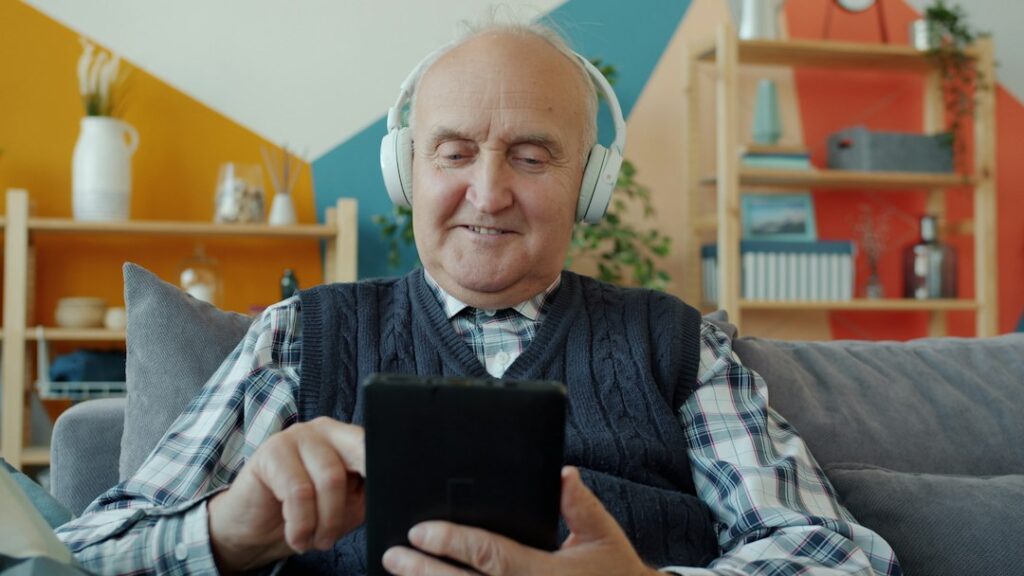
A smartphone, tablet, or basic laptop can each be useful, but a tablet is often a comfortable starting point because it has a larger screen and fewer controls than a full computer.
Look for features that reduce frustration:
- Large, bright text and adjustable screen contrast
- Loud, clear speakers
- Simple charging arrangements
- Physical volume buttons
- Voice control or speech-to-text
- A case that is easy to grip
- A screen that does not require precise finger movements
A phone may be the best choice for emergencies and short conversations. A tablet can be easier for video calls, reading, photographs, and telehealth visits. A laptop may be useful for managing finances or completing forms, but it can require more steps and regular updates.
Before choosing a device, consider vision, hearing, hand strength, memory, and whether the resident can comfortably remember passwords. The most advanced device is not necessarily the most helpful.
How can technology help residents stay in touch with family?
Video calling can help residents maintain regular contact with family members who cannot visit frequently. It may be especially useful during winter weather, when travel can be difficult or visitors may need to postpone a trip.
A reliable routine is more valuable than complicated technology. Family members can set a recurring call, place the device on a stable stand, and use the same contact button each time. A written card beside the device can provide simple instructions:
1. Turn on the device.
2. Tap the family member’s picture or name.
3. Press the green call button.
4. Press the red button to end the call.
Photos can also support conversation and memory. Family members might create an album with names and short descriptions, such as “Your niece at the lake” or “The garden from last summer.” Avoid assuming that every resident wants video. Some people prefer regular phone calls, voice messages, or text messages.
What technology is useful for medication and daily reminders?
Digital reminders can support routines, but they should not replace the medication procedures used by assisted living staff or instructions from a health care professional.
A basic calendar, alarm, or reminder app may help with:
- Family calls
- Activities and appointments
- Hydration reminders
- Personal errands
- Bringing hearing aids or glasses to an appointment
- Preparing questions for a medical visit
Use one reminder system whenever possible. Multiple alarms on different devices can become confusing. A large-print daily schedule placed near the device may work better than a series of notifications.
Residents should avoid changing medication schedules based only on a phone alert or health app. Medication administration and changes should follow the established care plan.
Can seniors use telehealth safely and comfortably?
Many medical visits can be completed by phone or video, although some concerns still require an in-person examination. Telehealth works best when the device, internet connection, and appointment information are tested ahead of time.
Before a video visit:
- Charge the device fully.
- Confirm the appointment time and access instructions.
- Test the camera, microphone, and speakers.
- Sit in a quiet, well-lit area.
- Place the device at eye level.
- Keep a list of medications and questions nearby.
- Have a phone available in case the video connection fails.
Headphones may improve hearing, but they should be used only if they are comfortable and easy to remove. Residents who have difficulty hearing or seeing the screen can ask whether a phone visit, captioning, larger display, or another accommodation is available.
Privacy also matters. A resident should know who can hear the visit and whether a family member or staff member will be present. Medical information should not be discussed over an unsecured public connection if other people can overhear.
How can residents avoid technology scams?
The safest response to an unexpected message is to pause. Scammers may pretend to be relatives, government representatives, banks, delivery services, or technical support workers. They may create urgency by claiming that an account will be closed or that money must be sent immediately.
Useful safety rules include:
- Do not share passwords, financial account numbers, or one-time security codes.
- Do not click an unexpected link in a text or email.
- Do not allow an unknown caller to control the device remotely.
- Do not send gift cards, cash, or cryptocurrency because someone demanded it.
- Hang up and call a known number if a message appears suspicious.
- Ask a trusted person to review an unusual request before responding.

A password should be different for important accounts, especially email and financial accounts. Two-step verification adds another layer of protection. Residents may want a written emergency plan explaining who can help review suspicious messages, while keeping passwords private.
What privacy settings should be reviewed?
Every device should use a screen lock, such as a passcode or fingerprint option. Automatic updates should remain enabled when practical because updates often repair security problems.
Review which apps can access:
- The camera
- The microphone
- Location information
- Contacts
- Photographs
- Health information
Remove apps that are no longer used. Be cautious with free games, quizzes, and contests that request extensive personal details. A resident should also decide whether photographs, location information, or health updates may be shared with family members.
Smart speakers, cameras, and wearable devices can be useful, but they may collect information inside a private living space. Before using them, understand what they record, who can view the information, and how recordings can be deleted.
How should technology be prepared for Meadville weather and power interruptions?
Seasonal storms, freezing temperatures, and heavy rain can make power or internet interruptions more likely. Every resident should know what still works if the internet is unavailable or a device battery is low.
Keep the following in an easy-to-find place:
- A charged mobile phone
- A power bank or backup battery
- A written list of important phone numbers
- The assisted living community’s emergency instructions
- A flashlight
- A paper copy of medical and emergency information
Internet-based calling may not work during a power outage unless the necessary equipment has backup power. A mobile phone may also lose service in certain conditions. Technology should support, not replace, the community’s emergency procedures and staff assistance.
What is the best way to learn a new device?
Learning is easier when instruction is brief, repeated, and based on real tasks. Rather than teaching every feature at once, begin with one activity, such as answering a call or viewing a family photograph.
Use large-print instructions with numbered steps. Practice the same process several times, then allow the resident to complete it independently. Keep the device in the same location and avoid changing settings without explaining what changed.
Needing help with technology is not a sign of poor memory or inability. Devices are often designed with unfamiliar menus and frequent updates. Patience, repetition, and privacy-respecting assistance can make technology a practical part of assisted living without allowing it to take over daily life.